Try Model Comp Card Maker
Check the official listing for current availability and local purchase details.

Build front-and-back comp cards with photos, measurements and agency details. Preview your layouts for free, then unlock PDF/PNG export and sharing with Pro.
Free Front and Back previews include a PREVIEW watermark in version 1.0.2. Pro Export is a one-time purchase; Pro previews and exports are unwatermarked.
Choose photos and assign their roles on the card.
Enter measurements, name and contact or agency details.
Set the accent and page format, then preview both sides with the free PREVIEW watermark.
Unlock unwatermarked PDF/PNG generation and native sharing with Pro Export.
Authentic published app examples. Open an image for a closer look.

Genuine app-produced example from the published App Store screenshot. Unwatermarked Pro example; free previews have a PREVIEW watermark.
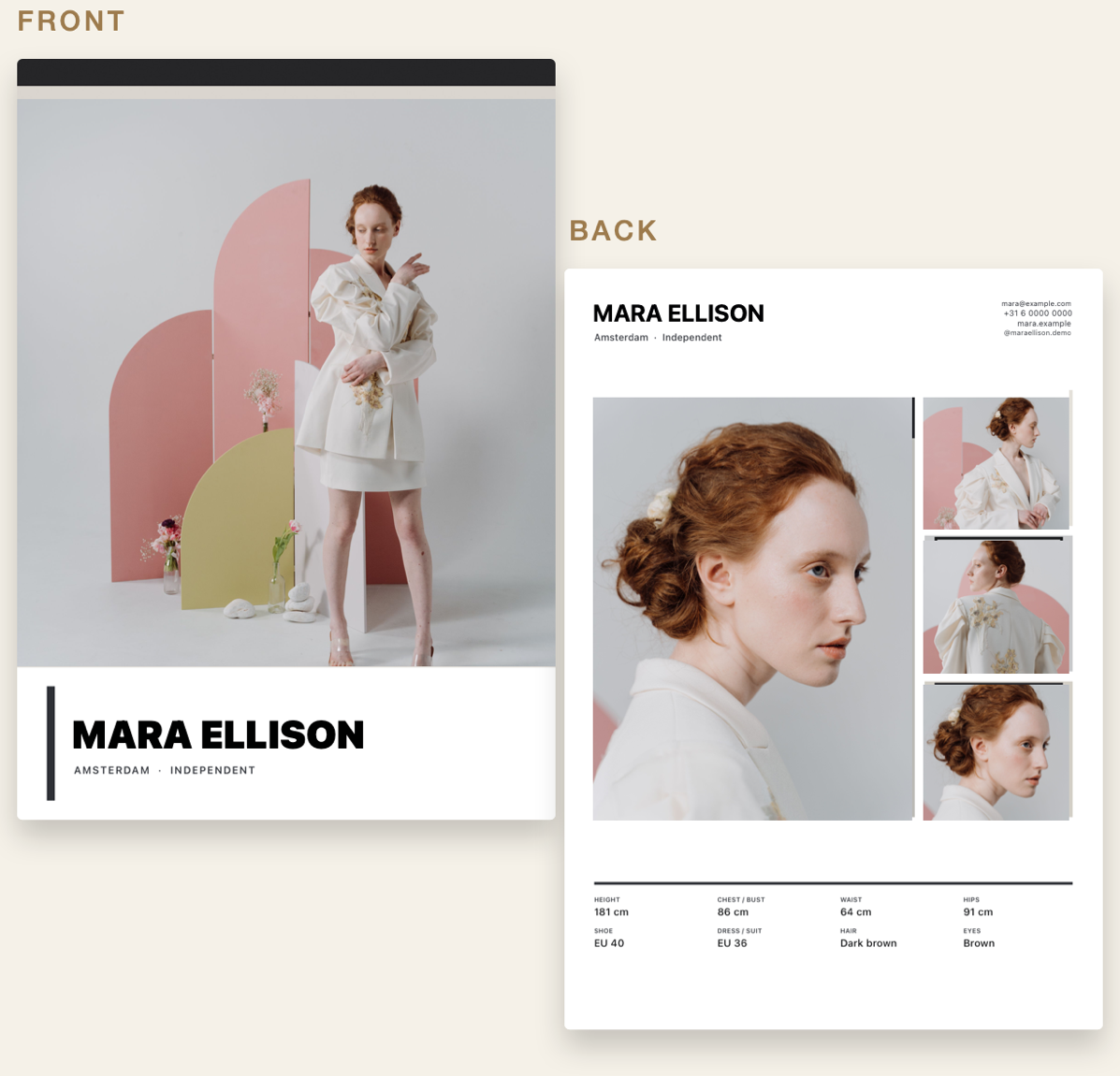
Genuine published marketing example of both sides. These unwatermarked examples represent Pro output, not free exports. Demonstration model and details; no customer or endorsement claim.
Build and preview Front and Back layouts. Free previews include a PREVIEW watermark.
A one-time purchase unlocks PDF and PNG generation plus native sharing. Pro previews and exports are unwatermarked.
Yes. Add name, contact or agency details and measurements alongside your selected photos.
No account is required. Projects are stored locally on your device.
Check the official listing for current availability and local purchase details.